Table of Contents
1. What Actually Matters in a Messenger
Most people evaluate messengers by whether they are "encrypted." End-to-end encryption (E2EE) is now table stakes — even WhatsApp and iMessage have it. The real differentiators are:
- Metadata protection — Does the server know who you talk to, when, and how often? E2EE protects content but not metadata. Signal minimizes metadata. WhatsApp collects extensive metadata for Facebook.
- Identity requirements — Does the app require a phone number? A phone number ties your identity to your account even if content is encrypted.
- Centralization — A centralized server is a single point of failure, seizure, and legal compulsion. Decentralized systems distribute this risk.
- Open source — Can the encryption implementation be independently audited? Closed-source encryption cannot be verified.
- Forward secrecy — If your encryption keys are compromised today, are past messages safe? Forward secrecy ensures each session uses temporary keys that are deleted after use.
2. Signal
Signal is the gold standard for encrypted messaging. Its cryptographic protocol — the Signal Protocol — is used by WhatsApp, Facebook Messenger, and Google Messages as well. Signal is open source, has been extensively audited, and the Signal Foundation is a nonprofit with no incentive to monetize user data.
Strengths
- Best-in-class encryption: Double Ratchet algorithm with forward secrecy and break-in recovery
- Sealed sender: hides metadata about who is messaging whom even from Signal's servers
- Disappearing messages with configurable timers
- Note to self, group chats, voice and video calls, all encrypted
- Proven in court: Signal has received subpoenas and can produce only registration date and last connection time — nothing else
Weaknesses
- Requires a phone number — your Signal account is tied to a phone number. This is the main privacy limitation.
- Centralized server infrastructure — all messages route through Signal's servers
- Contact discovery leaks: when you install Signal, it scans your contacts and tells Signal's server which of them have Signal accounts
Best for: Anyone who wants strong content encryption and trusts Signal's nonprofit model. The phone number requirement is manageable with a VoIP number or secondary SIM.
3. Session
Session is a fork of Signal that removes the phone number requirement entirely. Instead, each account is identified by a randomly generated cryptographic key pair — a Session ID. You create an account with no email, phone number, or personal information required.
Strengths
- No phone number required — completely pseudonymous account creation
- Decentralized routing through the Oxen Service Node network
- No central server that can be subpoenaed for metadata
- Onion routing for messages (similar to Tor) hides sender IP
- Open source
Weaknesses
- The Oxen blockchain layer adds complexity and a potential point of centralization in the node network
- Smaller user base than Signal — finding contacts who use it is harder
- Message delivery can be slower than Signal due to decentralized routing
- The cryptographic protocol has been less extensively audited than Signal Protocol
Best for: Users who need to communicate without linking to a phone number. Activists, journalists, and anyone setting up a pseudonymous communication identity.
4. Briar
Briar is a peer-to-peer messenger that routes all traffic through Tor and — uniquely — can work without internet access by syncing over Bluetooth or Wi-Fi directly between devices.
Strengths
- All traffic routed through Tor by default — IP is always hidden
- Fully peer-to-peer: no server, no central infrastructure to seize or subpoena
- Works offline via Bluetooth/Wi-Fi — useful in network blackouts or censored environments
- No phone number, email, or account creation — purely cryptographic identity
- Open source and formally audited
Weaknesses
- Android only (no iOS client)
- Both parties must be online simultaneously for message delivery (no asynchronous messaging without a relay)
- Very small user base
- Battery intensive due to Tor and P2P connections
Best for: High-risk activists, journalists in authoritarian countries, and situations where network blackouts are a risk. The Tor-by-default design makes it among the most anonymous options available.
5. Element / Matrix
Element is a client for the Matrix protocol — an open, decentralized communication standard. Matrix allows anyone to run their own homeserver, creating a federated network where no single entity controls all communication.
Strengths
- Federated: choose your homeserver or run your own
- End-to-end encryption available (opt-in per room)
- Open protocol — many clients available beyond Element
- Bridges to other platforms (Slack, Discord, IRC, Telegram)
- No phone number required for many homeservers
Weaknesses
- E2EE is not default on all rooms — easy to misconfigure
- Metadata exposure: your homeserver knows who you talk to in unencrypted rooms
- Key management can be confusing, leading to message history loss
- Federation means your data may be replicated across multiple servers you don't control
Best for: Teams and communities that want to self-host their communication infrastructure. Less suited for high-anonymity personal messaging.
6. Wire
Wire allows account creation with just an email address (no phone number). It uses the Signal Protocol for encryption and is open source. Wire is primarily a business collaboration tool but is available for personal use.
Weaknesses: Wire stores unencrypted metadata about who you contact. The company has changed ownership and moved jurisdictions, raising trust concerns. For personal privacy use, Signal or Session are better choices.
7. Side-by-Side Comparison
| Feature | Signal | Session | Briar | Element |
|---|---|---|---|---|
| Phone number required | Yes | No | No | No (most) |
| End-to-end encrypted | ✅ Always | ✅ Always | ✅ Always | ⚠ Opt-in |
| Decentralized | ❌ | ✅ Partial | ✅ Full P2P | ✅ Federated |
| Routes through Tor | ❌ | ✅ Onion | ✅ Always | ❌ |
| Works offline | ❌ | ❌ | ✅ | ❌ |
| Audit history | Extensive | Limited | Yes | Partial |
| User base | Large | Small | Very small | Medium |
8. Messengers to Avoid
- Telegram — Regular chats are NOT end-to-end encrypted. Only "Secret Chats" are E2EE, and they are not enabled by default. Telegram collects extensive metadata and has complied with government requests.
- WhatsApp — E2EE for content, but owned by Meta, which collects extensive metadata. Backups to Google Drive or iCloud are unencrypted by default.
- Facebook Messenger — E2EE is opt-in, not default. Avoid for sensitive communication.
- SMS/RCS — Not encrypted. Carriers and governments have direct access.
- Discord — No E2EE. Discord has complied with law enforcement requests and retains message content.
9. Which Should You Use?
Match your choice to your threat model:
- Average person wanting better privacy than WhatsApp → Signal. Widely adopted, excellent encryption, easiest to use.
- Need to communicate without a phone number → Session. Pseudonymous, decentralized, good enough encryption.
- High-risk activist or journalist in a censored/surveilled country → Briar. Tor by default, fully P2P, works through internet shutdowns.
- Team that wants to self-host → Element/Matrix. Run your own homeserver, no reliance on any third party.
No messenger is perfect for every use case. For maximum security, use Signal for everyday contacts and Briar or Session for anonymous communication where the phone number requirement is a problem. Combine any of these with Tor for network-level anonymity.
Whatever messenger you use, make sure it is open source and has been independently audited. No closed-source messenger can be trusted for sensitive communication — you cannot verify what it is actually doing with your data.
Related Articles

OPSEC for Everyday People: Protect Your Digital Life
Threat modeling, compartmentalization, pseudonyms, metadata scrubbing — for everyday people.
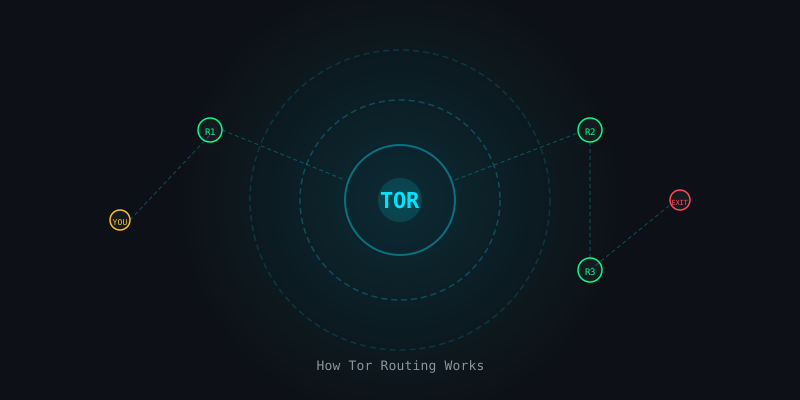
The Complete Beginner's Guide to the Tor Network
How onion routing works, how to use Tor Browser safely, and what Tor can and cannot protect you from.
Tails OS: The Complete Setup & Usage Guide for 2026
How to install Tails on a USB drive, what it protects against, and when it offers real protection.