Table of Contents
1. What Is OPSEC?
OPSEC — Operational Security — originated as a US military concept during the Vietnam War. The idea was simple: even if individual pieces of information seem harmless, combining them can reveal critical intelligence to an adversary. The military called this "aggregation" — and it applies just as powerfully to everyday digital life.
In the digital privacy context, OPSEC is the practice of systematically identifying what information about you could be harmful if exposed, who might want that information, and what steps you can take to prevent its exposure. It is not about paranoia — it is about deliberate, proportionate protection.
Every person's OPSEC needs are different. A journalist protecting sources has very different requirements than someone who simply wants to avoid targeted advertising. That is why OPSEC always starts with a threat model. For real-world examples of what happens when OPSEC fails, read our breakdown of dark web arrest cases.
2. Threat Modeling
A threat model is your personal assessment of what you are protecting, who you are protecting it from, and what level of effort is worth expending. Without a threat model, you will either under-protect (exposing yourself to real risks) or over-protect (spending enormous effort on threats that do not apply to you).
Answer these five questions:
Q1: What do I want to protect?
Examples: my real identity, my location, my political views, my communications, my financial information, my browsing habits, my relationships.
Q2: Who might want it?
Examples: data brokers and advertisers, a stalker or abusive person, an employer, a government, a hacker, a scammer. Be specific and realistic — not every person faces a nation-state adversary.
Q3: How likely is it that they will try to get it?
A targeted attacker who specifically wants your data is far more dangerous than an automated scraper. Calibrate your effort accordingly.
Q4: How bad would it be if they succeeded?
Loss of employment, personal safety risk, financial damage, reputational harm — rate the consequence, not just the likelihood.
Q5: How much inconvenience am I willing to accept to prevent it?
Maximum privacy and maximum convenience are opposites. Your threat model determines where on that spectrum you need to sit.
Average person: Protect against data brokers, targeted ads, account takeover, and scammers. Use a password manager, 2FA, and a reputable VPN.
Journalist / activist: Protect sources and communications from law enforcement and state actors. Use Tor, Signal, encrypted email, separate devices, and compartmentalized identities.
Abuse survivor: Protect location and new identity from a specific known individual. Minimal social media, location services disabled, separate accounts, careful about photos.
3. Minimize Your Data Footprint
The most powerful OPSEC principle is also the simplest: data that does not exist cannot be leaked, subpoenaed, or stolen.
Audit what information you have shared online and with services:
- Social media profiles — review privacy settings, remove your phone number, disable location tagging on photos, limit who can see your posts
- Old accounts — delete accounts on services you no longer use. Use
justdeleteme.comto find deletion instructions for hundreds of services - Data broker opt-outs — companies like Spokeo, Whitepages, and BeenVerified aggregate and sell your personal data. Most allow opt-out requests. Use a service like DeleteMe or manually submit opt-out requests
- App permissions — audit which apps have access to your location, microphone, camera, and contacts. Revoke anything that is not essential
- Real name — consider using a pseudonym for online services that do not legally require your real name
4. Compartmentalization
Compartmentalization means keeping different areas of your digital life separate so that a breach or exposure in one does not affect the others. Think of it as watertight compartments on a ship — if one floods, the others stay dry.
Identity Compartments
Maintain separate identities for different contexts:
- Professional identity — LinkedIn, work email, professional forums
- Personal identity — accounts where real-world friends know you
- Pseudonymous identity — communities where you want separation from your real name
Never cross-link these identities. Do not use the same username, email, profile photo, or writing style across compartments.
Device Compartments
For high-sensitivity activities, use a separate device or at minimum a separate browser profile. Do not log into personal accounts on a device used for sensitive work, and vice versa.
Network Compartments
Use different network exit points for different activities. Your normal browsing might go through a VPN. Sensitive research might go through Tor. Never mix them in the same session.
5. Pseudonyms and Personas
A pseudonym is more than just a different name — it is a separate persona that must be consistently maintained to be effective. Slipping between your real identity and a pseudonym is one of the most common ways people get de-anonymized.
Consistent Persona Rules
- Never use the same username across your real and pseudonymous accounts
- Create a separate email address for the persona using a privacy-respecting provider (ProtonMail, Tutanota)
- Use a separate browser or Tor Browser for pseudonymous activity
- Do not reference personal details (city, job, family, events) that could link back to your real identity
- Be aware of your writing style — researchers have successfully de-anonymized people purely through linguistic analysis (stylometry)
Profile Photos
Never use a real photo of yourself for a pseudonymous account. AI-generated faces (thispersondoesnotexist.com) are a common solution. Never use a photo that appears anywhere else online — reverse image search is trivially easy.
6. Metadata: The Hidden Threat
Metadata is data about data — and it is often more revealing than the content itself. When a government agency says it is "only collecting metadata", that claim understates the exposure. Metadata reveals who you contacted, when, for how long, and from where — a detailed map of your social relationships, daily routine, and location.
Photo Metadata (EXIF)
Digital photos contain EXIF metadata including GPS coordinates, device model, and timestamp. Before sharing a photo from a sensitive location, strip its metadata.
# Strip EXIF from a photo (Linux, requires exiftool)
$ exiftool -all= photo.jpg

# Verify it is clean
$ exiftool photo.jpg | grep -i gps
Document Metadata
Word and PDF documents embed author name, edit history, and sometimes tracked changes. Before sharing a sensitive document, check and clean its metadata using mat2 (Linux) or document properties in your office suite.
Communication Metadata
Use Signal for sensitive communications. Signal minimises metadata — it cannot tell law enforcement who you talked to or when, because it does not store that information. Regular SMS and most messaging apps log extensive metadata.
7. Social Engineering Awareness
The weakest link in any security system is usually a human. Social engineering attacks manipulate people rather than exploiting software. Common forms:
- Phishing — emails or messages impersonating trusted entities to steal credentials. Verify sender addresses, hover over links before clicking, and use a hardware security key to be phishing-proof.
- Pretexting — an attacker fabricates a scenario to extract information ("Hi, I'm from IT, I need your password to fix your account"). Legitimate IT never asks for your password.
- Baiting — leaving infected USB drives in parking lots, or offering free downloads containing malware.
- Vishing — voice phishing. Attackers call pretending to be your bank, ISP, or government. Hang up and call back on the official number.
- OSINT against you — attackers research your social media to personalise attacks. Limit what you share publicly.
8. Device and Physical Security
Digital OPSEC is meaningless if someone can physically access your device. For a full Linux hardening walkthrough, see our Linux Privacy Guide.
- Full disk encryption — enable FileVault (macOS), BitLocker (Windows), or LUKS (Linux). This protects data if your device is stolen.
- Strong lock screen — use a PIN of at least 6 digits or a strong passphrase. Biometrics (fingerprint/face) are convenient but can be compelled under legal pressure in some jurisdictions.
- Automatic lock — set your device to lock after 30–60 seconds of inactivity.
- BIOS/firmware password — prevents booting from an external drive to bypass your OS login.
- Webcam cover — a simple physical sticker eliminates one potential surveillance vector.
- Secure disposal — when discarding old devices, perform a full cryptographic wipe, not just a factory reset. For HDDs, physical destruction is the most reliable option.
9. Daily OPSEC Habits
Good OPSEC is less about dramatic measures and more about consistent daily habits. Pair these with a solid password security setup for comprehensive protection:
- Think before you share — ask "who could see this and what could they do with it?"
- Use a privacy-respecting search engine (Startpage, Brave Search) for everyday browsing
- Use a private DNS resolver (Quad9, NextDNS) or your VPN's DNS
- Keep all software and OS up to date — most breaches exploit known, patched vulnerabilities
- Review app permissions monthly on your phone
- Use Signal for sensitive conversations
- Never plug in a USB device you did not purchase yourself and control from new
- Lock your screen every time you step away from your computer, even at home
Perfect OPSEC does not exist. The goal is proportionate protection based on your specific threat model — not paranoia that makes your digital life impossible to live.
Related Articles
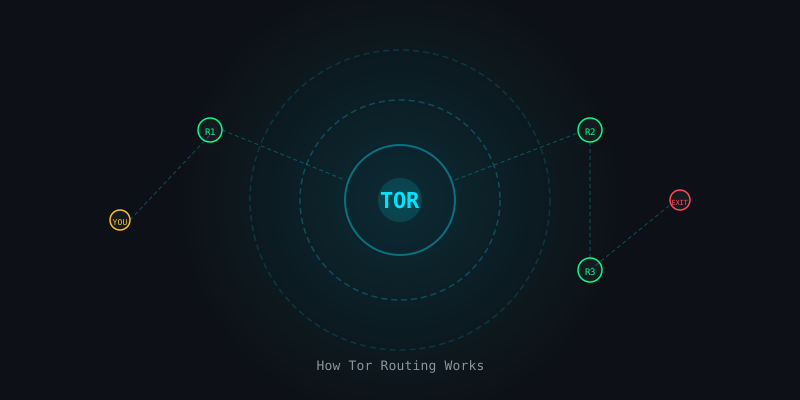
The Complete Beginner's Guide to the Tor Network
How onion routing works, how to use Tor Browser safely, and what Tor can and cannot protect you from.
Password Security in 2026: Managers, Passphrases & 2FA
Bitwarden, KeePassXC, Diceware passphrases, TOTP vs hardware keys — your complete password overhaul.

Dark Web OPSEC Failures: The Exact Mistakes That Led to Real Arrests
Ross Ulbricht, AlphaBay admin — the specific OPSEC errors that got dark web operators arrested.